Creating a new Rails application
TAGS:
ruby on rails rails software
First, We assume that you installed Ruby, you can know that using :
ruby -vThen, you need to install Rails:
gem install railsYou can use –no-ri –no-rdoc , for no gems documenation
gem install rails --no-ri --no-rdocAlso, you can know its version using :
rails -vNow, you are ready to Rails
Open a terminal
Go to the parent folder you want to build you application there.
Type the following line and press
Enter.
rails new autos
This will generate a directory called
autoswhich contains the rails application directory structure.Change directory to
autos.
cd autos
- Fire up the
rails server.
rails server
or
rails s
- Then,browse to
localhost:3000.- You will see this page:
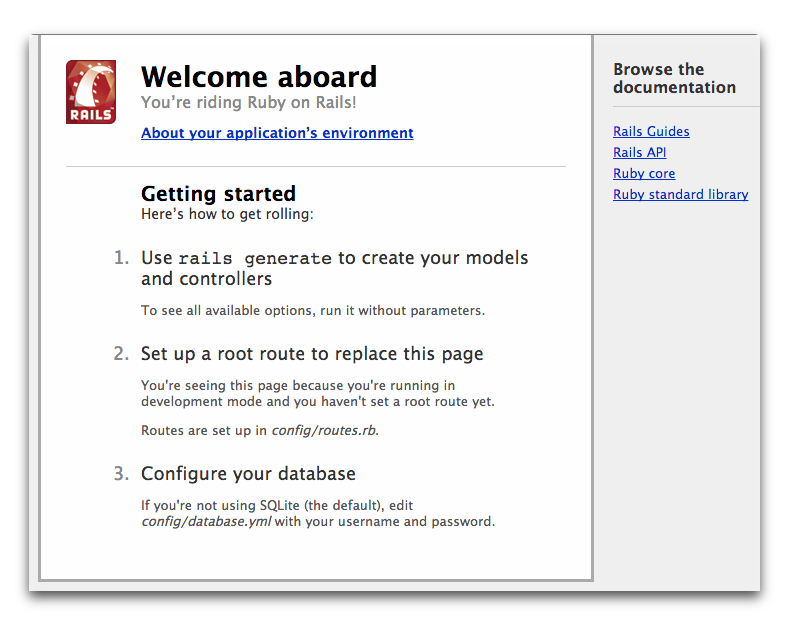
Note that you can stop rails server using
ctrl + cAlso, Note that you don’t need to restart rails server every time you make changes to you application as long as you are in development environment.
Now, let’s start our autos application:
First, we will use scaffolding to create cars controller, model, views, routes, test and database migration file in one line.
rails generate scaffold car brand:string year:integer
or
rails g scaffold car brand year:integer
This single line will create:
carmodel
carscontroller
carsviews
carsroutes
carstests
carsmigration file
Then we need to create cars database table using :
rake db:migrateThis line will create the cars table and its database schema in db/ folder, this table has two columns, one is brand with data type string and the other is year with data type integer.
Now, you are ready to browse you application and make CRUD operations;
CRUD means :
CforCreate
RforRead
UforUpdate
DforDelete
Now, browse to localhost:3000, you will see the welcome page for rails application, so browse to localhost:3000/cars .
All these steps in the next tutorial video You First Rails Application